How to View Sensor-Triggered Runs Separately in the Timeline View
Last updated: October 21, 2025
In the new UI, you can toggle between different views to see sensor-triggered runs separately from ad-hoc materializations in the timeline.
To view sensor-triggered runs separately:
Navigate to the Overview > Activity page
Look for the view toggle option in the interface
Switch between different views to see sensor-triggered runs as separate entries
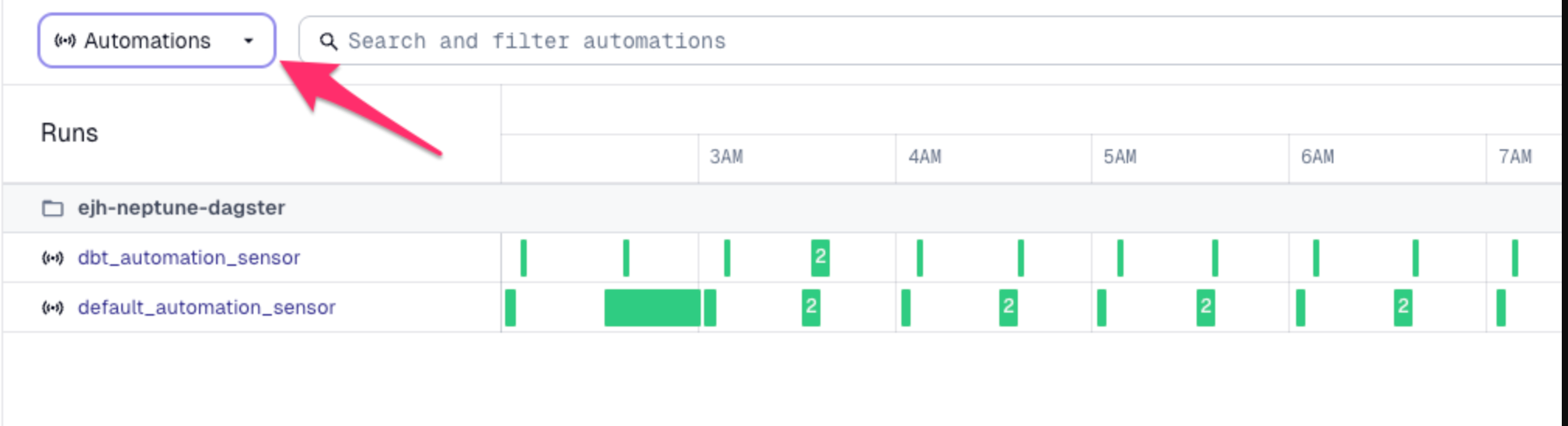
This feature helps distinguish between different types of runs in your pipeline, making it easier to track and monitor sensor-triggered activities separately from manual or ad-hoc runs.